Support for computing in CSB, EEB, and HMB is provided by the BIOTA group. We provide day-to-day computing support for staff, faculty, researchers, and for teaching. We maintain departmental services, building networking, system security, and provide planning support for IT issues.
Please direct all support requests to: biota@utoronto.ca
Adam Hotchin • Ryan MacDonald • James McGuire-Boyer
Or drop by our offices in RW 336 or ESC 3053.
Note that a number of important services are supported centrally by the University. For help with your email account, Duo/UTORMFA, campus wireless, LISTSERV, and other central U of T services, please contact the Information Commons Help Desk:
https://uthrprod.service-now.com/infocomm
help.desk@utoronto.ca • 978-HELP (4357)
Quercus/Canvas support and A/V support for the Ramsay Wright Teaching labs is provided by Faculty of A&S Information & Instructional Technology (IIT):
iit@artsci.utoronto.ca • 946-HELP (4357)
Wi-Fi
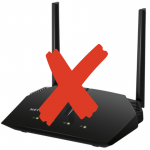
Wireless router in your lab/office? Use of these is discouraged. Please let us know if the campus wireless network “UofT” is inadequate in your neighbourhood.
We see it all the time…
Fraud.
If you receive an email warning you to “upgrade your account” or threatening that your account will be deactivated unless you click some link, it is always fraudulent. These messages are from scammers trying to steal your UTORid + password or your banking details.
The University will never send an email asking for your UTORid and password. Not for any reason. Guard your UTORid + password. It should only ever be entered on the University’s familiar authentication pages.
Always take note of the web address at the top of your browser and ensure it begins with “utoronto.ca” –- secure connections will be indicated by a lock icon.
Hard drives fail. USB memory sticks fail.
The disk inside your computer will fail; it is simply a question of when. Your Windows or Mac computer has built-in backup software. Use it. Keep your entire hard drive backed up so you can recover from a catastrophe.
Your trusty flash drive will fail; it is simply a question of when. You likely will not have any warning. Save your important files on at least two devices at all times. Store your important documents in your OneDrive account.
Windows computers absolutely need anti-virus software.
Viruses and malware can steal personal information, destroy data, and turn your computer into a criminal Internet zombie. Install an anti-virus program and keep it up-to-date. See our recommendations here. Install operating system updates promptly on Windows and Mac. Keep installed software up-to-date, especially web browsers. DO NOT run Windows versions older than Windows 10. Do not install Flash. Do not install Java. Do not install iTunes/QuickTime. (If you insist, it is critical that they are kept up-to-date.)
Stuff gets lost/stolen.
If you work with sensitive files such as research, student, or administrative data — and particularly if you use a laptop — University policy may require that you encrypt your hard drive, external drives, and USB sticks. Encryption makes it practically impossible for anyone to access the data without your password. It’s easy to do with the built-in FileVault on Mac, and BitLocker on Windows.